Processors/Comparison
15 specifications
Intel Core i7-14700KF vs Intel Core Ultra 7 265K
On paper, the Intel Core i7-14700KF boosts higher, and the Intel Core i7-14700KF carries more L3 cache. Specifications describe what each chip is designed to do; how much of that either one holds under continuous load is a separate question.
Intel Core i7-14700KF
Intel · Raptor Lake Refresh (14th gen) · Desktop
Intel Core Ultra 7 265K
Intel · Arrow Lake-S (Core Ultra 200S) · Desktop
Cores and clocks
Cache and power
Platform
A check marks the higher figure only on rows where higher is unambiguously better. Rows without one are not ties; they are specifications where “better” has no meaning.
Reading the table
What the difference means.
A year apart
The Core Ultra 7 265K (Arrow Lake-S (Core Ultra 200S), 2024) is a year newer than the Core i7-14700KF (Raptor Lake Refresh (14th gen), 2023). That matters more than any single row in the table, because a newer design usually does more work in each clock cycle. Clock speeds are only a fair comparison between chips of the same generation; across generations, a lower number on the newer chip can still be the faster core.
Cores and threads
The Core i7-14700KF has 20 cores and 28 threads against 20 and 20. More threads help with work that can be split into many pieces at once: rendering, compiling, video export, running several heavy programs together. They do little for work that runs on a few threads, which includes most games and most everyday software, where the speed of one core decides the result.
Boost clock
The Core i7-14700KF boosts to 5.6 GHz against 5.5 GHz, 2 percent higher. Across generations it is not a guide to speed on its own, for the reason above. Boost is also a peak: it is held for seconds to minutes, on one or two cores, while the cooling and the power limit allow. What either chip settles at under a long load is lower, and it depends on the cooler and the motherboard as much as the chip.
Cache
The Core i7-14700KF carries 33 MB of L3 cache against 30 MB. Cache is fast memory on the chip, and a larger one means the cores wait on main memory less often. Games, large spreadsheets and compiling respond to it; rendering and video export, which stream through data in order, respond much less.
Power and cooling
Both are rated at 125 W, so they ask the same of a cooler and a power supply. The rating is the heat to be moved for the chip to hold its speed; both draw above it in short bursts, and either one slows down rather than fails when the cooling falls short.
Platform
They use different sockets, FCLGA1700 and FCLGA1851, so moving from one to the other means a new motherboard, and new memory as well: FCLGA1700 takes DDR4 or DDR5, depending on the motherboard, FCLGA1851 takes DDR5. For an upgrade, that cost belongs in the comparison; for a new build, the newer platform is the one with later chips still to come.
Graphics on the chip
The Core Ultra 7 265K includes Intel Graphics; the Core i7-14700KF has no graphics of its own and will not show a picture without a graphics card. For a build with a card that changes nothing. For an office machine, a home server, or while waiting for a card, it decides the question.
Which to pick, on paper
- Rendering, compiling, video export
- Core i7-14700KF
- 28 threads against 20. Work that uses every thread scales with how many there are.
- No graphics card
- Core Ultra 7 265K
- It has Intel Graphics on the chip. The other needs a card to display anything.
What no table says
How much of its speed a processor keeps after the first minute depends on the cooling and the power limit of the machine it is in. If you own one of these, measure it: the test is free and runs in this browser.
Questions
- Is the Core i7-14700KF better than the Core Ultra 7 265K?
- By need, on the specifications: rendering, compiling, video export: the Core i7-14700KF; no graphics card: the Core Ultra 7 265K. No specification says how much speed either one keeps under a long load; that depends on the cooling and the power limit of the machine it is in, and it is what a sustained test measures.
- Do the Core i7-14700KF and the Core Ultra 7 265K use the same socket?
- No. The Core i7-14700KF uses FCLGA1700 and the Core Ultra 7 265K uses FCLGA1851, so switching means a new motherboard and new memory.
- Does the Core i7-14700KF or the Core Ultra 7 265K have integrated graphics?
- Only the Core Ultra 7 265K, which has Intel Graphics. The Core i7-14700KF needs a graphics card to show a picture.
More comparisons
- Intel Core i7-14700KF vs Intel Core i7-14700K
- Intel Core i7-14700KF vs Intel Core Ultra 7 265KF
- Intel Core i7-14700KF vs Intel Core i7-14700
- Intel Core i7-14700KF vs Intel Core i7-14700F
- Intel Core i7-14700KF vs Intel Core Ultra 7 265
- Intel Core Ultra 7 265K vs Intel Core Ultra 7 265KF
- Intel Core Ultra 7 265K vs Intel Core i7-14700
- Intel Core Ultra 7 265K vs Intel Core i7-14700F
- Intel Core Ultra 7 265K vs Intel Core i7-14700K
- Intel Core Ultra 7 265K vs Intel Core Ultra 7 265
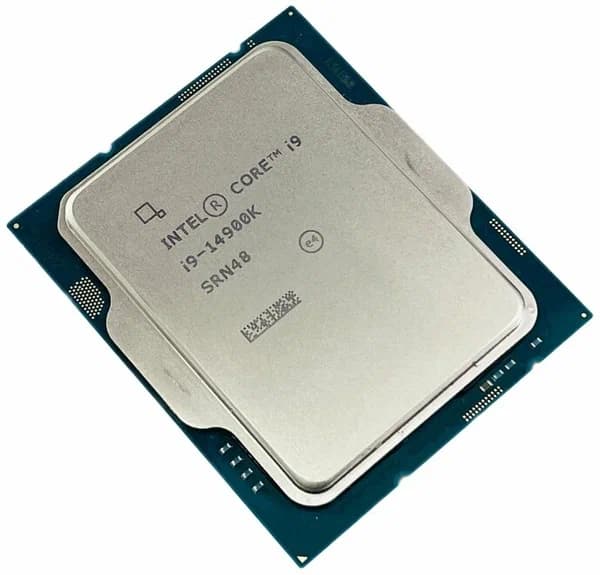
Every figure on this table is a design target. None of it is a measurement.
Nothing above describes how a processor behaves twenty minutes into a sustained workload, which is where two chips with nearly identical specifications routinely diverge. A boost clock is a ceiling the vendor permits, not a rate the chip sustains, and whether it holds depends on the cooling, the case, the power profile and the room. None of those appear on a specification sheet.
We deliberately do not reduce these figures to a single score. A composite invented from specifications would look authoritative and measure nothing, and choosing the weights would be choosing the winner.